Here we go then…
Quick and Easy week begins with an update and a new tool. First up, Grim Fandango Launcher has been updated. Its had a redesign to make it look better, has full Vista compatibility and now supports 64 bit versions of Windows. The full list of changes can be seen below.
New in version 1.5:
- Cosmetic changes: Interface redesigned, text and icons made clearer, changed the launcher images.
- Vista compatibility: The launcher now automatically prompts to run as administrator when its started, the program icon now includes all sizes up to 256×256 and if running on Vista the launcher now uses vista fonts.
- Fixed a small memory leak.
- Now uses windows temp folder rather than Grim folder for extracted resources like the readme and patch.
- Now uses the excellent Grim Fandango icon created by Thanius.
- 64 bit versions of Windows are now officially supported. The launcher has been tested on XP64 and Vista64.
- Old versions of Windows are no longer officially supported. Versions before XP (95/98/ME/2000) should be fine but the launcher hasn’t been tested with them.
Download it here.
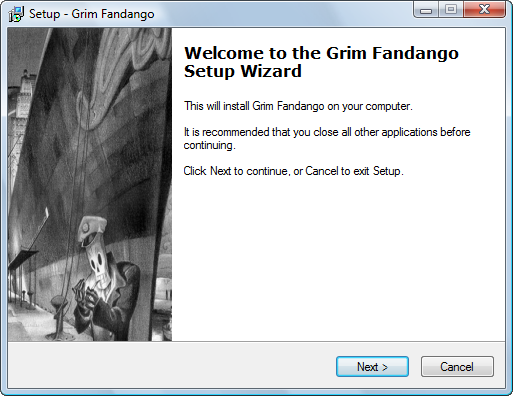
The new tool is Grim Fandango Setup. Its a replacement installer (setup program) for Grim Fandango. The installer that comes with the game can be problematic with newer versions of Windows and refuses to work at all on 64 bit Windows. This installer doesn’t have those problems and comes with the above-mentioned Grim Fandango Launcher.
Download it here.